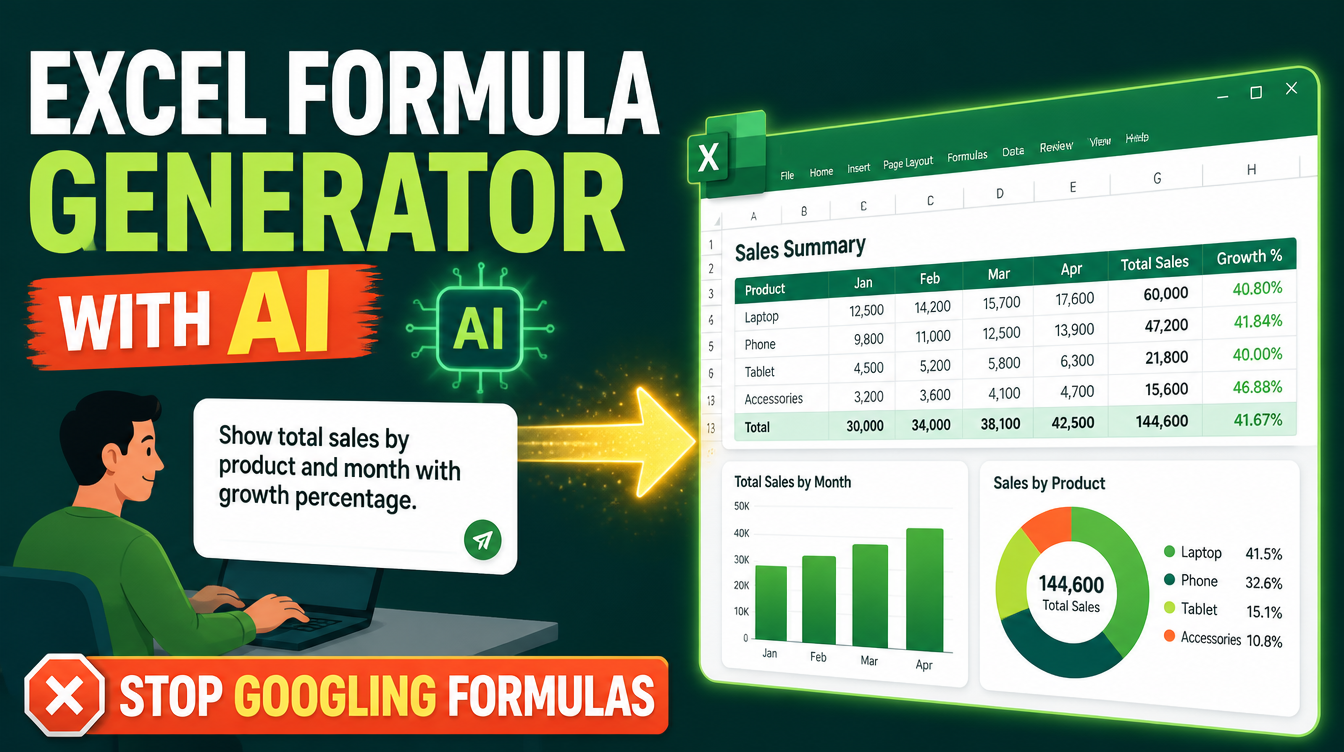
There is a specific kind of time-waste every Excel user knows: you know exactly what you want — "sum the sales column, but only for the Cairo branch, and only Q3" — and you spend twenty minutes googling how to write it, pasting a formula from a forum that was written for a spreadsheet shaped nothing like yours, then debugging #REF! errors until you give up and filter manually. An Excel formula generator with AI ends that loop: you describe the result in a plain sentence, and the formula comes back written for your actual columns, your actual logic, your actual file. This guide shows you how it works, what it can and cannot do, and how to get it free.
If the idea of an AI skill is new to you, read what is an AI skill first — the short version is a downloaded package of expertise that makes your assistant reliably good at one job.
Why does googling formulas fail so often?
Because a formula is context-dependent code. The forum answer assumes different sheet names, different column orders, different regional settings — and a formula that is one character off does not half-work; it errors or, worse, silently returns the wrong number. Searching also teaches you nothing reusable: you solve today's exact problem and re-search a variant of it next month. The failure is not your Excel knowledge; it is the mismatch between plain-language intent and hand-assembled syntax.
What does an AI Excel formula generator actually do?
It translates intent into working spreadsheets. You describe what you need — "a tracker that calculates late penalties per supplier" or "a dashboard of monthly sales with the top 5 products" — and the generator builds the formulas, the layout, and the supporting machinery. The Excel Generator skill on Mahara AI takes this further than a single formula: describe any workbook in plain language and it produces a polished, insight-ready file — with charts, conditional formatting, sparklines, color scales, frozen panes, and data validation chosen to fit your specific case, plus a KEY INSIGHTS sheet that summarizes what the data actually says. The full skill walkthrough is in Excel Generator: from one sentence to a polished spreadsheet.

Which formula problems is it best at?
The sweet spot is everything people usually google: lookup and matching logic, conditional aggregation, date math, text cleaning, and IF-based business rules. A quick comparison of how the workflow changes:
| Task | The googling way | The generator way |
|---|---|---|
| Conditional sum (one branch, one quarter) | Search, adapt a stranger's SUMIFS, debug | "Sum sales where branch is Cairo and month is in Q3" — done |
| Cross-sheet lookup | Guess XLOOKUP vs VLOOKUP, fix #REF! | Describe the two sheets; the reference is written for your layout |
| Whole workbook (budget, tracker, dashboard) | Days of assembly | One description, finished file with charts and a KEY INSIGHTS sheet |
| Learning what happened | Nothing — you copy and forget | The output is a normal editable workbook; open the formula bar and read it |
A formula you pasted is a fix. A formula generated for your columns is a solution — and because the output stays editable, it is also a lesson.
Do you need to know Excel to use it?
No. The skill is built so you describe the goal in plain words — what it tracks, who uses it, what decisions it supports — and it handles the formulas, summaries, and formatting as part of the generation. But there is a real bonus for people who do know Excel: the output is a standard, fully editable workbook, so every chart, formula, and format it creates is something you can open, inspect, and extend. That turns every generated file into a worked example you can learn from, which is more than most courses ever give you.
Where does the skill run?
The Excel Generator is built to work directly inside Manus for smooth file generation, and it also runs in assistants like Claude and ChatGPT — so it meets you in whichever tool you already use. If you have not connected a skill to an agent before, the setup takes minutes: see how to use AI skills with Manus and the Claude walkthrough.
What is the difference between one formula and a whole workbook?
Ask for a formula when the file already exists and one calculation is missing. Ask for a workbook when the file does not exist yet — budgets, reports, inventory trackers, quiz banks, dashboards. That second case is where the skill's fuller powers matter, and it is the workflow behind building budgets and reports in Excel with AI and tracking shop inventory in Excel with AI.
When is the goal bigger than a spreadsheet?
When the workbook is really standing in for a decision. A savings sheet is fine, but "can I actually afford this goal, and what breaks first?" is a planning question — and that is a different tool's job. The Financial Goal Planner skill turns any money goal into a single-file interactive calculator: affordability, hidden costs, monthly savings scenarios you can drag in real time, and Islamic finance options modeled alongside conventional ones. Build the tracker with one skill; pressure-test the decision with the other.

How much does the Excel Generator skill cost?
Some skills on Mahara AI are free, and paid skills start at 499 EGP (about $10). There is a 499 EGP per month claim-and-keep subscription, and every skill carries a 7-day refund if it is not right for you.
FAQs
Is there an AI that generates Excel formulas?
Yes. Describe the result you want in a plain sentence and the Excel Generator skill writes the formula for your actual columns and logic — or, if the workbook does not exist yet, builds the entire file with charts, formatting, and a KEY INSIGHTS sheet.
Do I need to know Excel formulas to use it?
No. The skill handles formulas, summaries, and formatting as part of the generation; you describe the goal. The output stays editable, so you can open any formula and learn from it.
What can I ask it for besides formulas?
Any workbook you can describe: trackers, quiz banks, budgets, dashboards, pivot-ready layouts — with charts, sparklines, color scales, icon sets, frozen panes, and data validation chosen for your case.
Does it work inside Manus?
Yes. The skill is built to work directly inside Manus for smooth file generation, and it also runs in assistants like Claude and ChatGPT.
Is the Excel Generator skill free?
Some skills on Mahara AI are free, and paid skills start at 499 EGP (about $10). There is a 499 EGP per month claim-and-keep subscription, and a 7-day refund if a skill is not right for you.
The next formula you need is one sentence away from existing. Open the Mahara AI skills library, get the Excel Generator, and take the googling out of your spreadsheets for good.