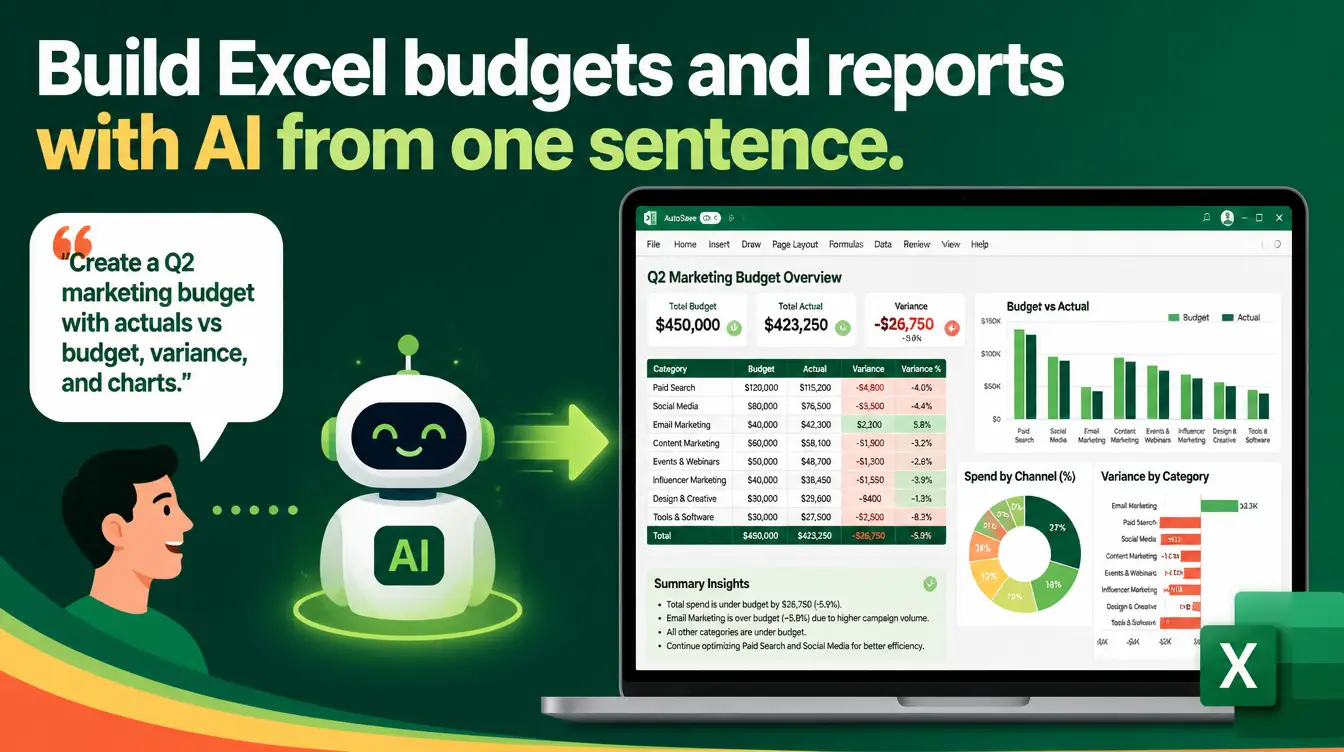
Every budget begins the same way: a blank spreadsheet, good intentions, and a Sunday afternoon that never arrives. By the time you have formatted the headers, argued with the chart wizard, and googled one conditional-formatting rule, the actual budgeting is forgotten. The Excel Generator skill removes that entire first hour — you describe the budget or report in one sentence, and it hands back a finished, formatted, insight-ready file.
What is the Excel Generator skill?
The Excel Generator is a free skill from the Mahara AI library that turns any request into a polished, ready-to-use spreadsheet. It automatically selects the right combination of charts, conditional formatting, pivot-ready layouts, and data-validation controls for your specific use case, applies consistent professional design — typography, color palettes, layout hierarchy — and structures the file insight-first, with a KEY INSIGHTS sheet, pre-calculated summaries, and clear navigation. It is also Manus-compatible, so an agent can generate the file directly inside Manus while you work on something else.

What can you build from a single sentence?
Anything you would otherwise build slowly and badly by hand. One sentence each:
- A monthly household budget with category totals and red-yellow-green variance scales
- A project budget tracker with phase-by-phase spending and a burn-down chart
- A sales report with monthly sheets, sparklines per product line, and a summary dashboard
- An expense comparison across two periods with the differences highlighted automatically
- A subscription audit listing every recurring cost, its yearly total, and a keep-or-cancel column
In each case the skill chooses the features — not you. That matters because most people do not know that color scales, icon sets, freeze panes, and data-validation dropdowns exist, let alone when to use them. The skill does, and it applies the right ones for the job.
How is a generated file different from a downloaded template?
| Aspect | Downloaded template | Excel Generator file |
|---|---|---|
| Structure | Generic — built for everyone, fits no one | Built for your exact request |
| Features | Whatever the template author chose | Charts, color scales, validation chosen for your use case |
| Insights | Empty cells waiting for you | KEY INSIGHTS sheet and pre-calculated summaries |
| Changes | Breaks when you bend it | Describe the change, regenerate |
| Navigation | Tab soup | Clear navigation across sheets |
A budget you will actually open again next month beats a perfect one you abandon by week two.
How do you build a budget from scratch, step by step?
- Download the Excel Generator skill from the Mahara AI library and load it into your AI assistant.
- Describe the file in one plain sentence — "a monthly family budget in Egyptian pounds with savings targets and overspend warnings."
- Review the generated structure: sheets, categories, formulas, and the KEY INSIGHTS page.
- Enter your real numbers — the data-validation controls keep entries clean as you type.
- Ask for adjustments in plain language, and regenerate: the skill follows the same professional method every time.
What about reports that need to exist every month?
Regeneration is the quiet superpower here. A monthly report is not a document; it is a recurring appointment with a spreadsheet. Because the skill applies the same method every run, your April file and your May file have the same structure, the same navigation, and the same charts — so the comparison happens by itself, and whoever receives the report never has to relearn where anything lives. Teams that run AI skills across their daily work typically end up with a small library of these one-sentence requests that reproduce their entire reporting pack.
Where should you go next with financial files?
Start with the Excel Generator skill guide, which walks through the skill's feature matching in depth. When the budget reveals a goal — a down payment, a wedding, an emergency fund — the Financial Goal Planner skill turns that goal into an interactive calculator with scenario planning, including Islamic finance options and hidden costs. And if the numbers are headed into a fundraising conversation, the investor-pitch workflow shows how to assemble a financial model an investor will actually read. All of it belongs to the family covered in the free skills that save you hours every week.

The budget was never the hard part — the blank grid was. Open the Mahara AI skills library, download the Excel Generator, and let your next budget start with a sentence instead of a Sunday.