Launch day is the wrong day to discover an API key sitting in your git history or a login cookie without a single protective flag. Yet that is exactly when most website owners first think about security — after the site is live, indexed, and already being scanned by strangers. The fix is a security checklist you run before launch, and a free AI skill can now execute most of it for you: scanning headers, cookies, leaked secrets, vulnerable dependencies, and code flaws, then fixing what is safe to fix and writing the rest up as a plan. This guide lays out the checklist, the order to fix things in, and how to run the whole audit with the Security Audit & Hardening skill.
For a deeper look at the skill itself, see the Security Audit skill walkthrough — this piece is the pre-launch workflow specifically.
What should you check before launching a website?
Six areas, in rough order of how badly they burn when ignored:
- Leaked secrets — API keys, tokens, and passwords in the code or the git history, which anyone with the repo can read
- Security headers and cookies — the browser-level settings that block clickjacking, cross-site scripting, and session theft
- Vulnerable dependencies — the packages your site is built on, and whether any shipped version has a known flaw
- Code flaws — injection points, broken access control, and the other classes of bugs scanners like Semgrep catch
- Hosting and containers — misconfigured infrastructure and container setups that quietly widen the attack surface
- Bill of materials — knowing exactly what your site is built from, so the next vulnerability disclosure takes minutes to answer, not days
How does an AI skill run a security audit?
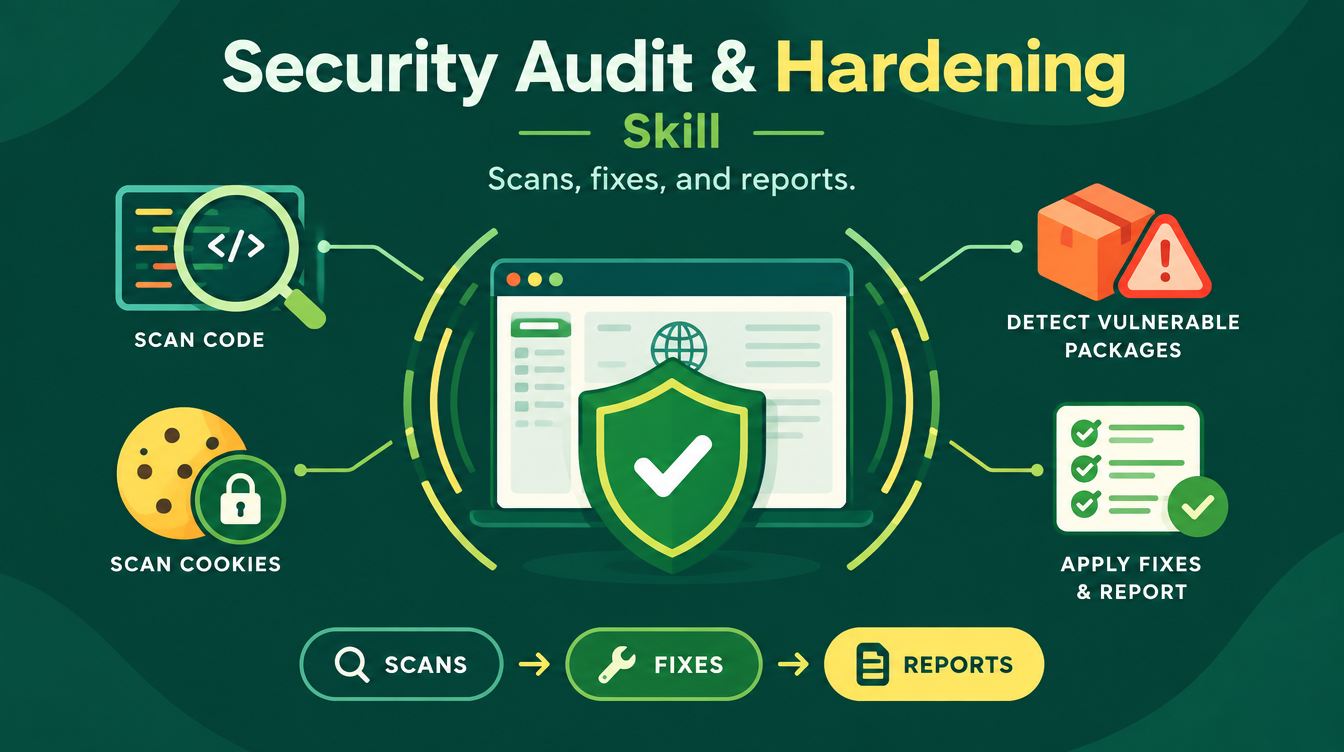
As a structured, defensive workflow in eight phases. The Security Audit & Hardening skill starts with an intake — your repository or live URL, confirmation that you own it, and a depth level of Essentials, Standard, or Strict — then detects your stack, package managers, and hosting configuration, and writes a short threat model. From there it scans by depth: security headers and cookies, leaked secrets in code and git history using Gitleaks, vulnerable packages using npm audit, OSV-Scanner, and Trivy, a code scan with Semgrep, manual review, passive OWASP ZAP testing, functional and access-control tests through TestSprite when available, container and infrastructure checks, and a software bill of materials. Everything runs defensively — no exploit code, active scans on staging rather than production, and secrets never printed in full.
Which order should you fix the findings in?
The skill fixes in a deliberate order, because the wrong order creates new risk:
| Fix order | What gets fixed | Why this position |
|---|---|---|
| 1 | Leaked secrets — you rotate the keys, the skill handles the rest | A leaked key is a live door; everything else is a draft |
| 2 | Critical code issues | Injection and access-control flaws are the next thing an attacker would use |
| 3 | Security headers and cookies | Hardening the browser side, including rolling out CSP in Report-Only mode first |
After every batch of fixes, the skill re-runs the build and the tests, then verifies each finding again and records before-and-after evidence. A fix that is not verified is a wish, not a fix.
How do you run a pre-launch audit step by step?
- Download the Security Audit & Hardening skill from Mahara AI and load it into your coding agent or assistant.
- Point it at your repository or staging URL, confirm ownership, and pick a depth level — Essentials for a first launch, Standard or Strict when the stakes are higher.
- Let it run the scans and build the threat model; if you have external reports from tools like securityheaders.com or Snyk, paste them in — the skill tracks each item through to fixed.
- Rotate the leaked keys yourself, then let the skill fix what it safely can in order — secrets, critical code, then headers — with build and tests re-run after each batch.
- Read the two deliverables before you ship: the AI-executable fix plan another agent can follow step by step, and the human-readable brief you can absorb in two minutes.
What do you do with the results after launch?
You automate the re-checks. The skill ends its maintenance phase by setting up a GitHub Actions CI workflow and Dependabot configuration, and scheduling recurring re-runs of the audit — because a site that was secure at launch is not a site that stays secure as its dependencies age. The output files are designed for this loop: findings.json for tracking, the fix plan for whoever (or whatever) executes the next round, and the brief for you.
What if the website is still being built?
Then you have the better end of the deal — you can bake the checks into the build instead of retrofitting them. Pair the audit skill with the Professional Website Builder skill, which plans and writes a complete site from your raw business context: a discovery interview, a sitemap, benefit-led page copy, and a full SEO/AEO pack with metadata, FAQ schema, sitemap, robots.txt, and RSS. Build with the second, audit with the first, and launch with the checklist already green. The full workflow is in the Professional Website Builder guide, and the post-launch visibility side is covered in optimizing your website with a free AI skill.
FAQs
Can AI really audit a website for security issues?
Yes, defensively and within your own property. The Security Audit & Hardening skill scans headers, cookies, leaked secrets, vulnerable dependencies, code flaws, and containers, fixes what is safe to fix, and verifies each fix with before-and-after evidence — it does not write exploit code or test sites you do not own.
What is the first thing to fix in a security audit?
Leaked secrets. The skill surfaces keys and tokens in your code and git history first, you rotate them, and only then does it move to critical code issues and security headers — because a leaked key is a live door while everything else is still a draft.
When should I run a security audit — before or after launch?
Before launch, on staging. The skill's own ground rules prefer staging over production for active scans, and a finding caught pre-launch costs an afternoon while the same finding post-launch can cost the incident.
Does the skill fix the issues or just report them?
Both. It fixes what is safe to fix in a deliberate order — re-running build and tests after each batch — and packages the rest into an AI-executable fix plan, a findings file, and a two-minute human-readable brief.
Is the Security Audit skill free?
Yes, it is free on Mahara AI. Paid skills on the platform start at 499 EGP (about $10 USD), there is a 499 EGP per month claim-and-keep subscription, and every purchase carries a 7-day refund.
Green checklist, then launch. Pick up the Security Audit & Hardening skill and ship your next site knowing exactly what a stranger would find.