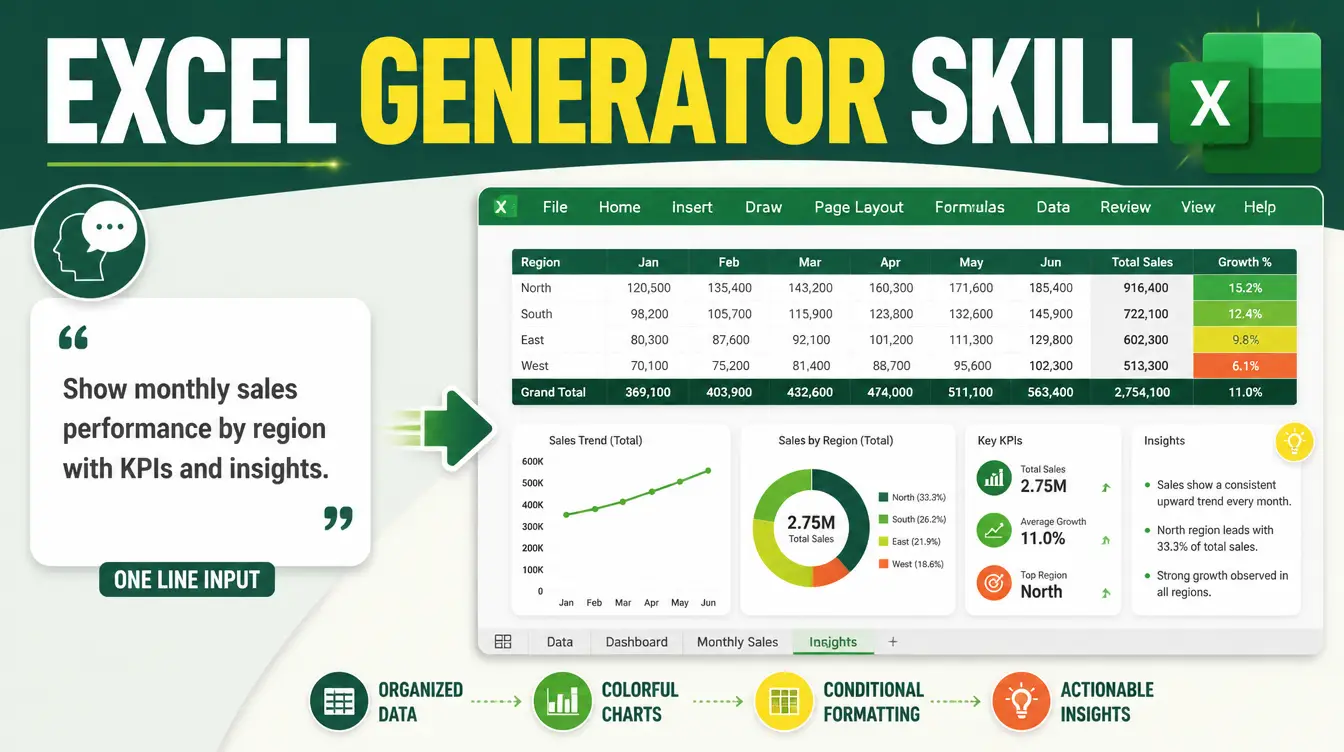
Every spreadsheet starts the same way: an empty grid and a person who knows what they want but not how to build it. The Excel Generator skill removes that gap. You describe the workbook in one sentence — a client tracker, a quiz bank, a monthly budget with charts — and the skill returns a polished, insight-ready Excel file you can open and use immediately. No formula archaeology, no formatting marathon.
Here is what the skill verifiably does, who it is for, and how to get your first file in under a minute of typing.
What does the Excel Generator skill actually produce?
A complete, professionally designed workbook — not a raw table. The skill performs smart feature matching: it reads your request and selects the right combination of charts, sparklines, color scales, icon sets, frozen panes, and data-validation controls for that specific use case. Ask for a budget and you get summary charts; ask for a tracker and you get status dropdowns that only accept valid entries. The design layer is consistent typography, color palettes, and layout hierarchy, so the file looks deliberate instead of assembled.

What makes the output insight-first?
Every workbook opens with a KEY INSIGHTS sheet: pre-calculated summaries and a clear navigation structure, so the answer is on page one and the raw data sits behind it. Most spreadsheets bury the point under forty rows of entries; this one front-loads it. That single structural choice is the difference between a file people read and a file people scroll past — the same principle behind how skills change daily work: the machine handles structure, you handle judgment.
Who is this skill actually for?
| You are… | You ask for… | You get |
|---|---|---|
| Small business owner | "Monthly sales and expenses dashboard" | Charts, color scales, and a KEY INSIGHTS summary sheet |
| Teacher or course creator | "Quiz bank with answer key" | A formatted bank with validation dropdowns for difficulty and topic |
| Freelancer | "Client pipeline tracker" | Status columns with icon sets and frozen header rows |
| Analyst | "Pivot-ready data layout" | Clean structure ready for pivots, with pre-calculated summaries |
A spreadsheet nobody has to reformat is a spreadsheet that actually gets used.
How do you get from sentence to spreadsheet?
- Load the skill into your assistant — it is built to work directly inside Manus, and it runs in other assistants too.
- Describe the workbook in plain language: what it tracks, who uses it, what decisions it supports.
- Let the skill match features to your case — charts, validation, conditional formatting — rather than requesting them one by one.
- Open the file at the KEY INSIGHTS sheet first, then skim the data sheets behind it.
- Adjust and extend — it is a normal Excel file, so everything it built is editable.
Where does it fit in a fuller stack?
Spreadsheets rarely live alone. Small business owners can pair it with the rest of the small business stack; freelancers will find it anchors the freelancer stack, where pipelines, invoices, and client trackers eat the most hours. And if you run agents, the skill's Manus compatibility means the same workbook generation happens inside your Manus workflows without leaving the agent.
For planning that goes beyond the grid — savings goals, affordability, scenario planning — the companion Financial Goal Planner skill builds a different artifact: a single-file interactive calculator you can read about in the next article in this series.

FAQs
Is the Excel Generator skill free?
Some skills on Mahara AI are free, and paid skills start at 499 EGP (about $10). There is a 499 EGP per month claim-and-keep subscription, and every skill carries a 7-day refund if it is not right for you.
Does it work inside Manus?
Yes. The skill is built to work directly inside Manus for smooth file generation, and it also runs in assistants like Claude and ChatGPT.
What can I ask it for?
Any workbook you can describe: trackers, quiz banks, budgets, dashboards, pivot-ready layouts. The skill chooses the charts, sparklines, color scales, icon sets, frozen panes, and data-validation controls that fit your specific case.
Do I need to know Excel formulas?
No. The skill handles the formulas, summaries, and formatting as part of the generation. You describe the goal; it builds the machinery.
Can I customize the generated file?
Yes. The output is a normal spreadsheet — every chart, formula, and format it creates is standard and editable, so you can extend it like any workbook you built yourself.
Your next spreadsheet is one sentence away. Browse the Mahara AI skills library, describe the workbook you keep postponing, and open it finished.