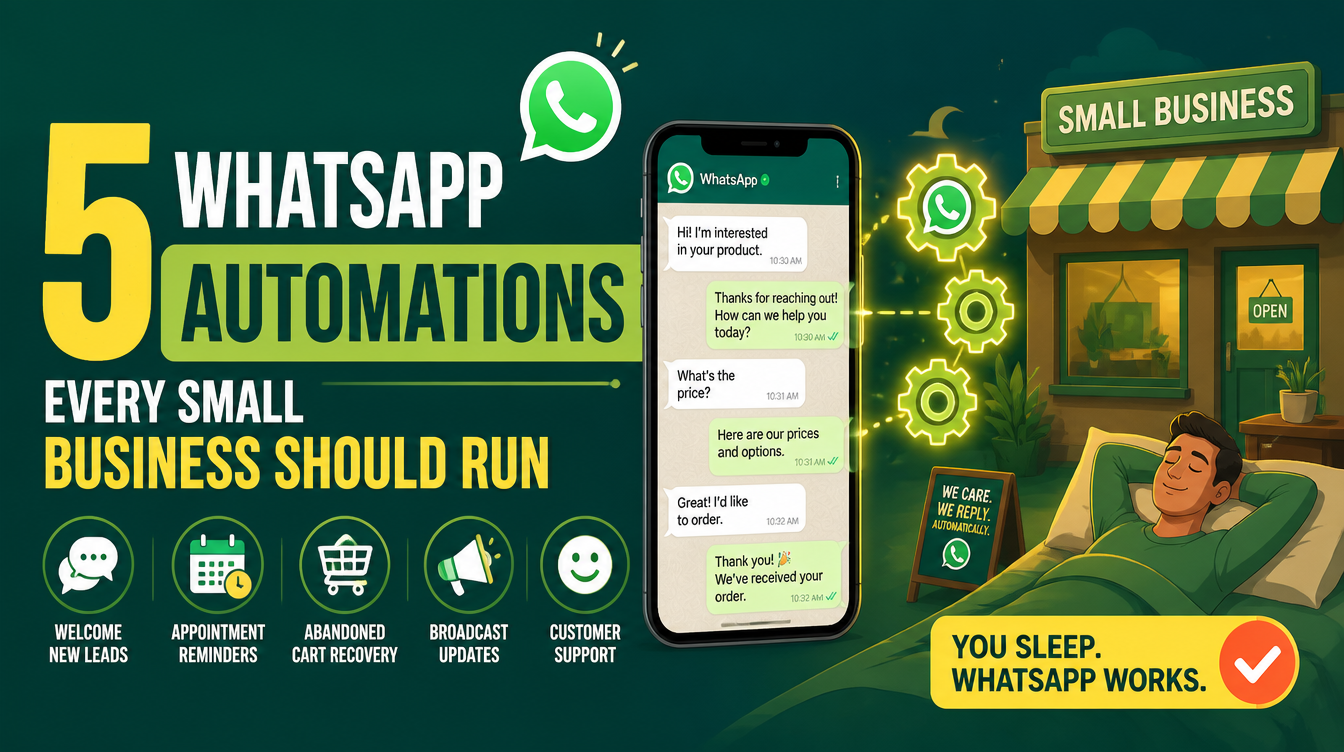
A customer messages your business on WhatsApp at 11 p.m. She asks the question every customer asks — the price, the hours, whether you deliver to her area — and then she waits. You answer at nine the next morning, politely, to a chat she has already closed, because she ordered at 11:15 from the business that answered at 11:02. Nothing about your product lost that sale. Your response time did. This guide lists five WhatsApp automations every small business should run, and shows you how to run them yourself, free, on a stack you own — no per-message SaaS bill, no third party sitting between you and your customers.
If you are new to skills, start with what is an AI skill; if you want the full picture of running a business on these tools, the broader map is the best AI skills for small business owners.
Why is WhatsApp the front desk of your business?
Because it is where the customers already are, and they expect replies at conversational speed. The manual answer is to be on your phone all day; the outsourced answer is a hosted chat platform that charges per conversation and owns the relationship data. The third answer — self-hosted automation with n8n and OpenWhatsApp — costs nothing per message, keeps every conversation on your own machine, and scales from "answer the price question at night" to a full AI agent that remembers each customer's history. Setting that stack up locally is exactly what the OpenWhatsApp + n8n installation skill walks you through, step by step, on Windows or Mac, with zero prior knowledge assumed.
Which five automations should you run first?
Start with the messages that repeat, because they are the ones worth systematizing:
1. The instant info reply
Price list, menu, working hours, delivery areas — the questions that make up most of your inbox get an instant answer at any hour, with a friendly line pointing to a human for anything else.
2. The after-hours message
"We're closed, we open at 10, leave your question here and we'll answer first thing." Customers do not mind that you sleep; they mind silence.
3. The order status update
Confirmed, being prepared, out for delivery. You update the status once, and everyone who needs to know, knows — without you retyping it into five chats.
4. The follow-up after delivery
A day later, one message: how was everything? It closes the loop, catches problems while they are still fixable, and quietly collects the reviews that win the next customer.
5. The returning-customer greeting
When a known customer writes again, they should not start from zero. With n8n's Postgres-backed chat memory, the workflow can recall their last order and their name, and the conversation continues instead of restarting.
How do these automations actually run?
On a local Docker stack of three pieces: n8n (the automation engine where you draw the workflows), Postgres (which stores both your workflows and the AI agent's chat memory, so conversations and automations persist across restarts), and OpenWhatsApp (the gateway that links your number — scan the QR code once, and session persistence keeps the link alive through reboots). The skill that assembles all of this includes the community node that connects n8n to OpenWhatsApp, plus a reliability checklist covering crash recovery, reboots, backups, HTTPS, and updates. The complete setup guide is how to run n8n + OpenWhatsApp locally.
Your customers do not expect you to answer at 3 a.m. They expect an answer to exist at 3 a.m. Automation is how you make it exist without staying awake.
How does self-hosting compare to the alternatives?
Three ways to handle WhatsApp at a business, and what each one costs you:
| Approach | Strength | The catch |
|---|---|---|
| Answer everything manually | Personal, zero setup | You are the bottleneck; evenings and sleep cost sales |
| Hosted chat SaaS | Fast to launch, polished | Recurring fees, per-conversation pricing, your data lives on their servers |
| Self-hosted n8n + OpenWhatsApp | Free per message, you own the data, unlimited workflows | One-time local setup — which is what the skill makes beginner-proof |
When do you upgrade from rules to an AI agent?
When the questions stop repeating. Rules handle the five automations above perfectly, but the customer who asks "do you have the red one in a size 40 and can it arrive before Thursday?" needs understanding, not keywords. That is the moment to build the AI agent on top of the same stack — with chat memory in Postgres, it remembers each customer across conversations. The full build is in how to build a WhatsApp AI agent for customer service, and the general case for handing routine work to skills is made in how AI skills automate your daily work.
What about other tools you need along the way?
The stack is open source, and it grows: invoicing, forms, dashboards — most things a small business pays SaaS subscriptions for have free self-hosted equivalents. The Open-Source Tool Finder skill searches for them and installs them, so extending your automation setup does not start a new research project every time.
How much does the WhatsApp automation stack cost?
The skill and every component in the stack — n8n, Postgres, OpenWhatsApp — are free and open source. Paid skills on Mahara AI start at 499 EGP (about $10), with a 499 EGP per month claim-and-keep subscription and a 7-day refund on every purchase.
FAQs
Can you automate WhatsApp for a small business?
Yes. A self-hosted stack of n8n and OpenWhatsApp answers common questions instantly, sends after-hours replies, updates customers on order status, follows up after delivery, and greets returning customers from memory — free per message, on hardware you control.
Is it free to run WhatsApp automations?
The stack itself is free and open source: n8n, Postgres, and OpenWhatsApp cost nothing per message or per conversation. The installation skill that assembles them is also free on Mahara AI.
Do I need to know Docker or coding?
No. The OpenWhatsApp + n8n installation skill assumes zero prior knowledge and walks through every step on Windows or Mac, including Docker Desktop prerequisites and what healthy output looks like at each stage.
Does the WhatsApp connection survive reboots?
Yes. OpenWA's session persistence restores the link automatically — you scan the QR code once, not every morning — and Postgres keeps your workflows and chat memory intact across restarts.
Can automations remember each customer?
Yes. Postgres stores the AI agent's chat memory, so when a known customer writes again, the workflow can recall their name and last order instead of starting from zero.
That 11 p.m. customer is going to message someone tonight. Open the Mahara AI skills library, get the OpenWhatsApp + n8n installation skill, and make sure she messages you.