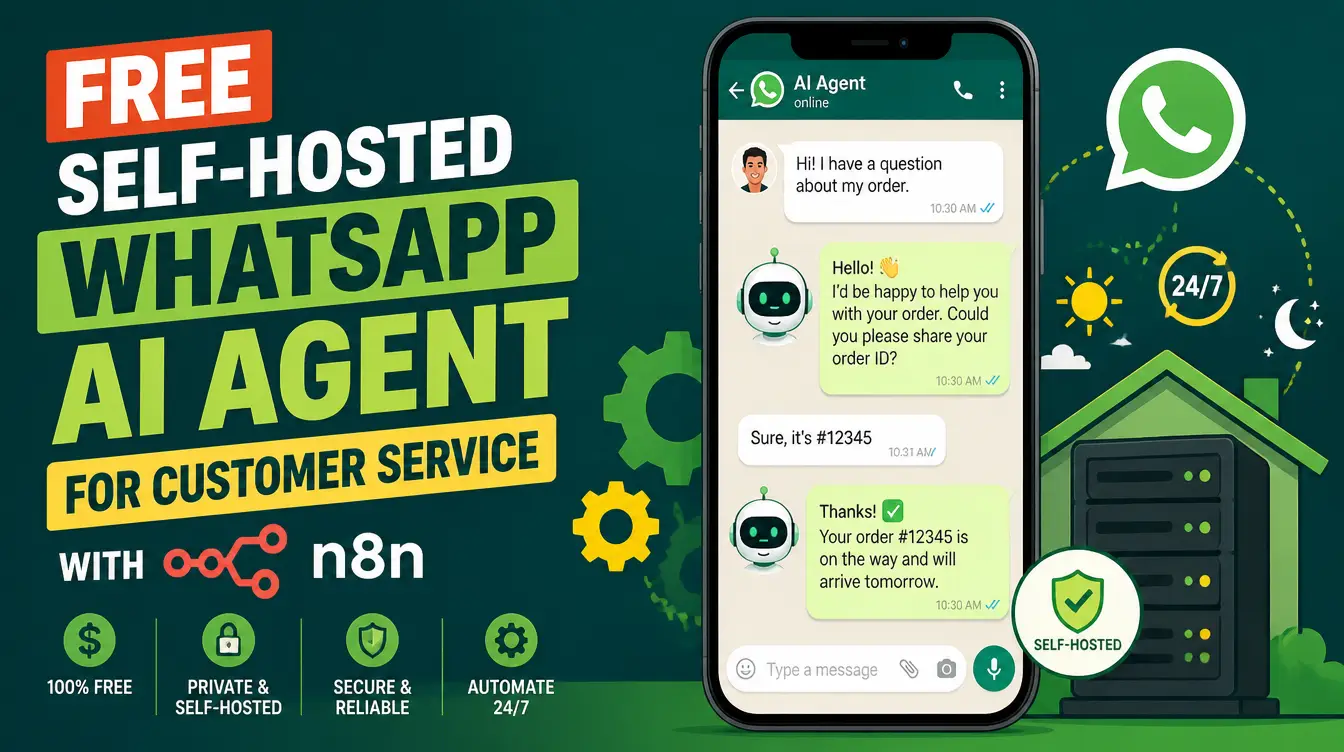
A customer messages your business on WhatsApp at 11 p.m. with a simple question — and by the time anyone answers, they have bought from someone else. The obvious fix is a chatbot, but the chatbot industry has a pricing model that punishes exactly the businesses that need it most: per-conversation fees, per-seat fees, per-feature fees. There is another way. With the free OpenWhatsApp + n8n skill, you can run a WhatsApp AI agent for customer service on your own machine — no monthly chatbot bill, no customer data leaving your server.
What is the self-hosted WhatsApp agent stack?
It is three open-source pieces working together: OpenWhatsApp (OpenWA) as the WhatsApp gateway, n8n as the automation engine that hosts your AI agent and workflows, and Postgres as the database that stores both the workflows and the agent's chat memory. Everything runs locally through Docker on Windows or Mac. The skill that assembles all of it — the OpenWhatsApp + n8n Local Installation skill — is a free download from the Mahara AI library, built for beginners with zero prior knowledge required.
What is inside the OpenWhatsApp + n8n skill?
The skill is a complete ZIP bundle: a step-by-step guide plus a ready Docker Compose stack. The guide covers Docker Desktop prerequisites with reboot-survival setup, Postgres configuration for n8n workflow storage and AI agent chat memory, the OpenWA WhatsApp gateway with session persistence, the n8n community node for OpenWhatsApp, a reliability checklist for crashes, reboots, and Postgres readiness, and guidance on backups, HTTPS, and updates. You download it, follow the guide, and your WhatsApp AI agent exists — the full setup walkthrough is in the free automation stack guide.
How does a self-hosted agent compare to paid chatbot SaaS?
| Factor | Paid chatbot SaaS | Self-hosted WhatsApp agent |
|---|---|---|
| Cost | Monthly, scales with conversations | The software is free — you bring the machine |
| Customer data | Stored on the vendor's cloud | Stays on your own machine |
| Customization | What the plan allows | Any n8n workflow you can draw |
| Setup effort | Minutes, vendor-managed | One guided session with the skill |
| Reliability | The vendor's problem | Yours — with a checklist included |
The chat you own beats the chatbot you rent — especially when the rent grows with every customer who talks to you.
How do you set it up, step by step?
- Install Docker Desktop — the skill's guide includes the reboot-survival configuration so the stack comes back after restarts.
- Download the skill's ZIP bundle from the Mahara AI library and open the guide.
- Run the Docker Compose stack — n8n, Postgres, and the OpenWhatsApp gateway come up together.
- Connect your WhatsApp session — OpenWA keeps the session persistent so you do not re-scan a QR code daily.
- Build the customer-service workflow in n8n — the community node links WhatsApp messages to your AI agent, with Postgres carrying the chat memory.
Why does chat memory matter for customer service?
Because customers hate repeating themselves. The stack's Postgres database stores the AI agent's chat memory, so when a customer returns — the next day or the next week — the conversation resumes with context instead of starting from zero. "I asked about this yesterday" becomes an answer, not an apology. For a small business, that continuity is what makes an automated agent feel like staff rather than software.
What happens when the machine reboots or something crashes?
This is where most DIY stacks quietly die — and exactly what the skill was engineered against. The guide includes a reliability checklist covering crashes, reboots, and Postgres readiness, so the stack survives the ordinary chaos of a real machine. Session persistence keeps the WhatsApp connection alive across restarts, and the backup guidance protects your workflows and memory when something worse happens. Running it yourself does not mean babysitting it yourself.
Where does the stack go next?
Once the basics run, extend them. The Open-Source Tool Finder skill helps you discover and install more free tools around the stack — monitoring, dashboards, whatever the next bottleneck is. The same automation pattern powers more than support: AI skills across daily work shows the wider map, and the small-business stack guide places the WhatsApp agent in a complete toolkit. The skill is also Manus-compatible, so an agent can drive parts of the setup for you.
What does it all cost?
The skill, n8n, Postgres, and OpenWhatsApp are all free — the only costs are the machine you already own and your time for one guided session. The Mahara AI library's paid skills start at 499 EGP, and the 499 EGP/month subscription lets you claim and keep skills, but this stack itself downloads free.
Your customers already message you at 11 p.m. The only question is whether something answers. Open the Mahara AI skills library, download the OpenWhatsApp + n8n skill, and put a customer-service agent on WhatsApp that you own end to end.