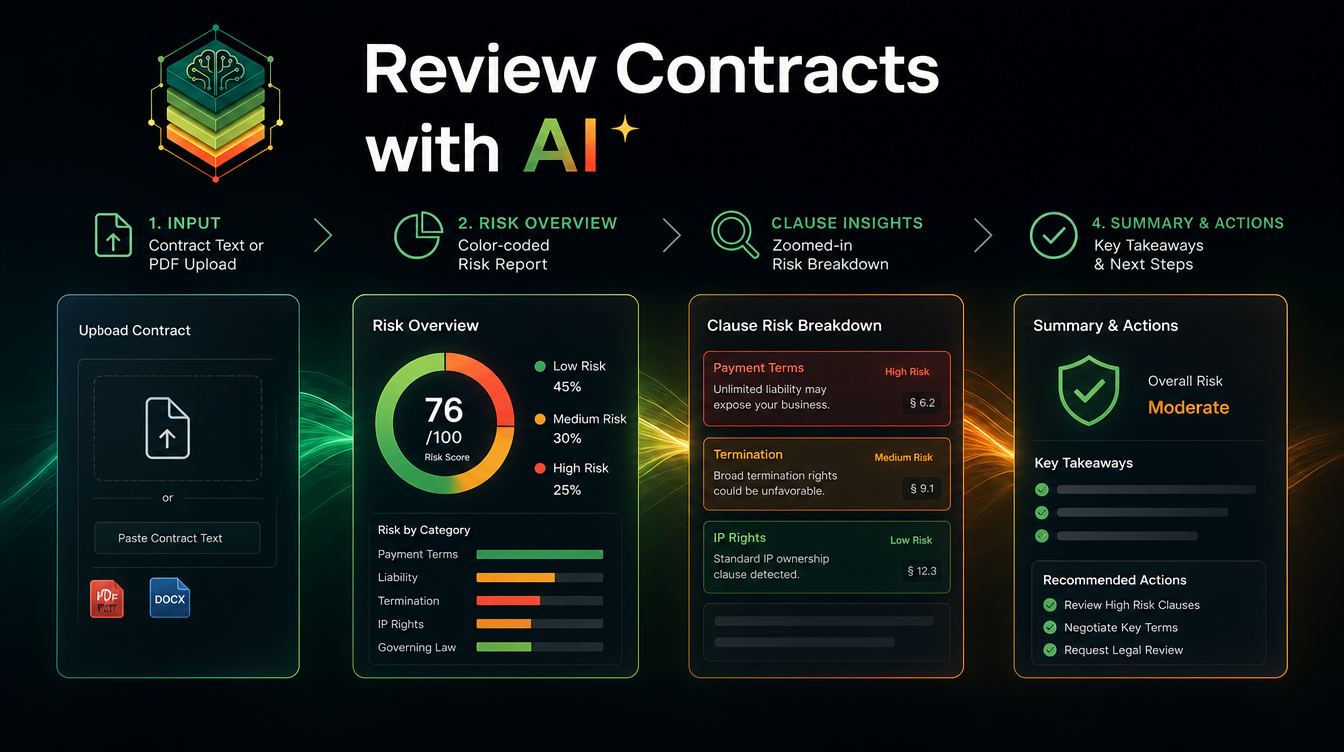
You can review any contract with AI in minutes using the free AI Contract Reviewer skill on Mahara AI: paste the contract and it returns a color-coded, clause-by-clause risk report with recommended actions. It works in Arabic and English, and it turns a scary legal document into a clear list of what to fix, negotiate, or flag before you sign.
Most people sign contracts they barely understand — employment offers, rental agreements, freelancer terms, vendor deals. An AI review before signing catches the clauses that cost you money later: hidden liabilities, auto-renewals, one-sided obligations, and vague language.
Why review contracts with AI?
Speed and clarity. An AI pass reads the whole document in seconds and explains each risky clause in plain language. It is not a replacement for a lawyer on high-stakes deals, but it makes your lawyer's time far more focused — you arrive with a list of questions instead of a blank stare.
Step 1 — Get the skill (free)
Claim the AI Contract Reviewer skill and add it to your library, then run it:
Step 2 — Add your contract
Paste the contract text in Arabic or English. The skill reads it section by section, so longer contracts are fine — it does not skim.
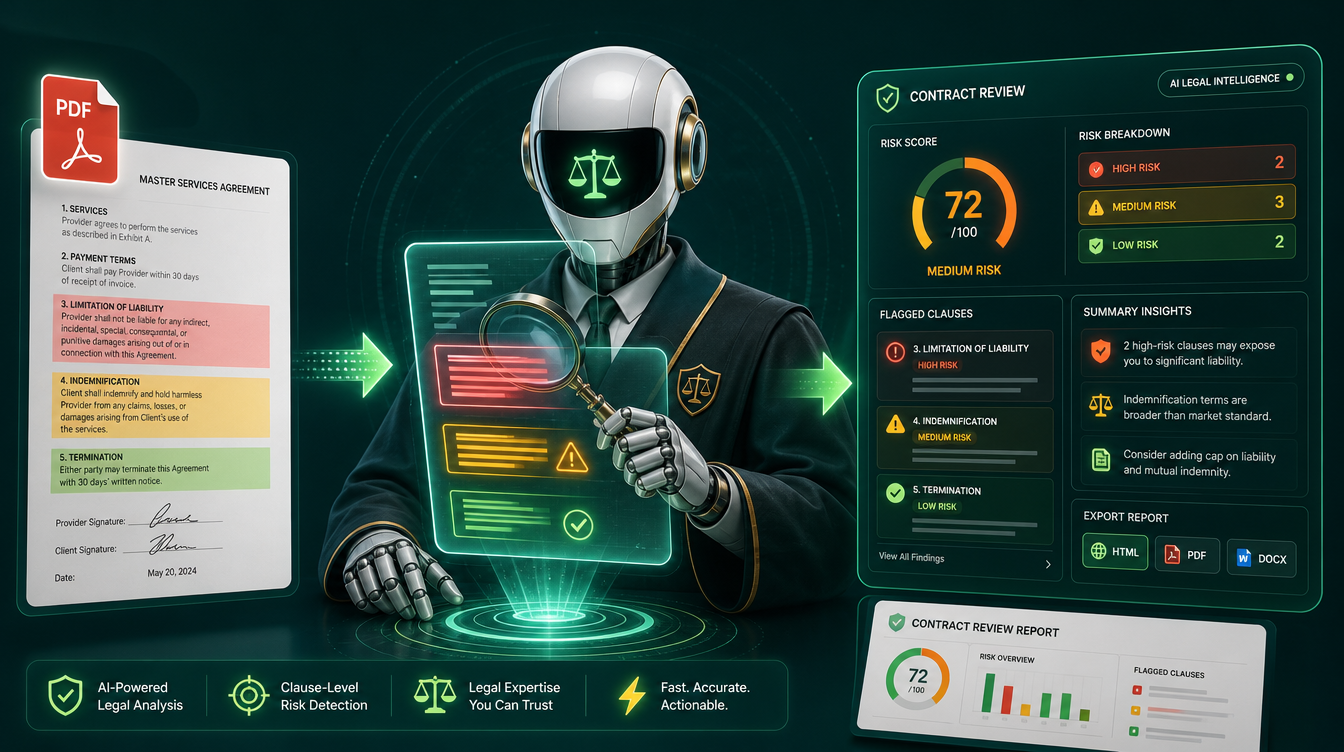
Step 3 — Read the risk report
You get a color-coded breakdown: green for safe clauses, yellow for caution, red for high-risk terms. Each flagged clause comes with a plain-language explanation of what it actually means.
Step 4 — Act on the flagged clauses
Use the recommendations to negotiate, request changes, or prepare questions for your lawyer. The goal is to walk into signing (or into a lawyer's office) knowing exactly where the risks are.
What AI contract review can and can't do
It is excellent at flagging risk, explaining dense clauses simply, and comparing terms against common red flags. It is not legal advice and not a substitute for a qualified lawyer on binding, high-value agreements. Treat it as a sharp first read that makes every later step cheaper.
Who should use it?
- Founders and freelancers reviewing client or vendor contracts.
- Job seekers reviewing offer letters and non-competes.
- Tenants and landlords checking lease terms.
- Lawyers doing a fast first pass before deep review.
Tips for better reviews
- Paste the full text, not a summary — context matters for risk.
- Ask the skill to explain any clause you do not understand.
- Pair it with more tools in 5 free AI skills that save you hours.
New to skills? Read what an AI skill is first, then claim the contract reviewer free.